Your chess has a history.
Import PGN files or download your public Chess.com game archives. Choose your player identity so the review focuses on your moves.
No Chess.com password needed ↗ chessrehabBREAK BAD HABITS.Meet your study partner ↗
A FRESH START FOR YOUR CHESS
Understand the mistakes you repeat. Build the habits that change your game.
Meet your Windows chess study companion. Turn your games into personal practice, explore the ideas behind openings, and give your next move a little more thought.
WINDOWS Development preview · launching soon
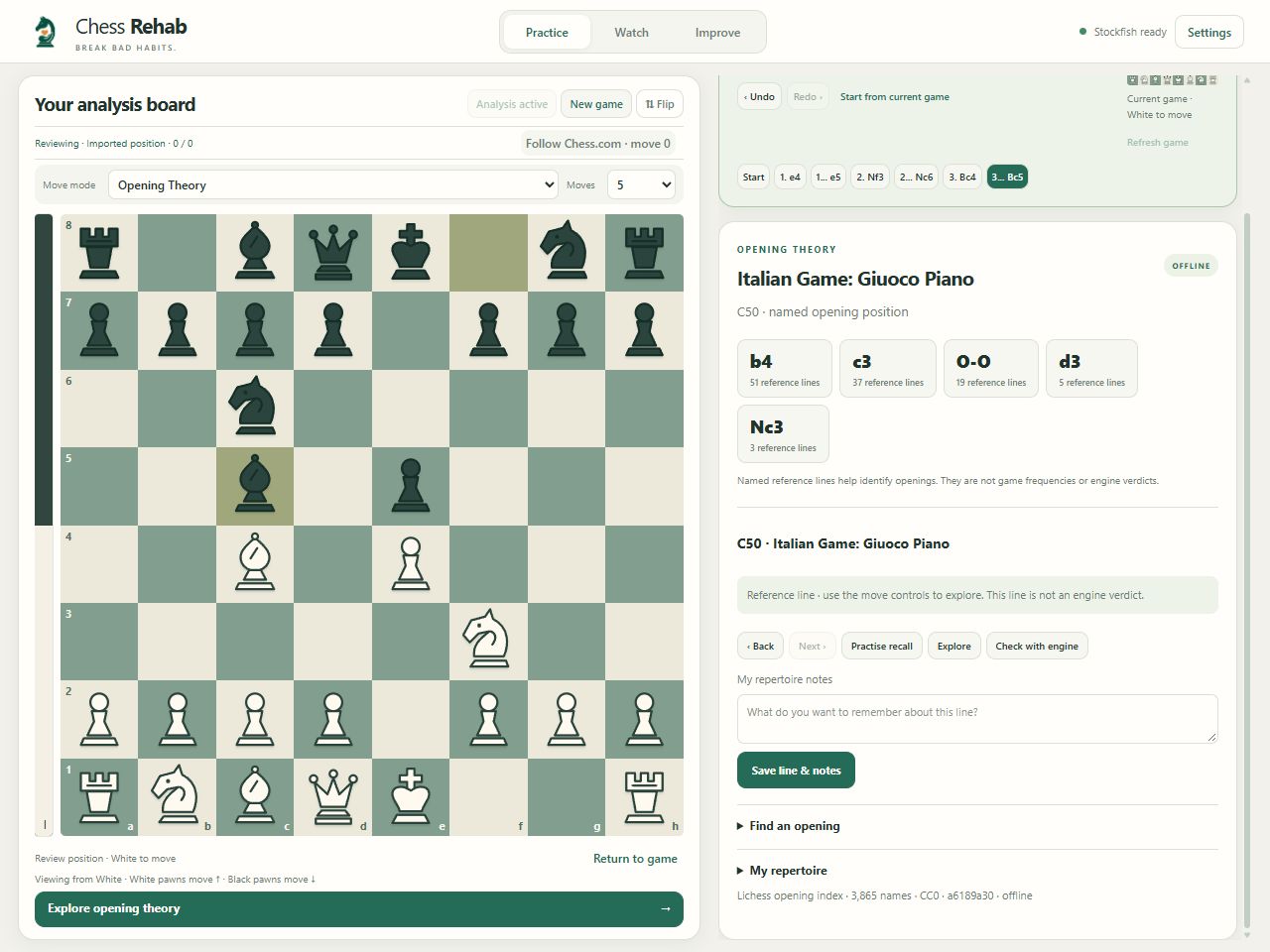
Interactive illustration · a named opening line, not an engine evaluation.
LESS AUTOPILOT. MORE AHA.
Start with the games you actually played. Follow the engine’s evidence, compare the alternatives and practise the decision again.
Import PGN files or download your public Chess.com game archives. Choose your player identity so the review focuses on your moves.
No Chess.com password needed ↗Stockfish reviews your decisions. Concrete saved lines help explain lost material, missed tactics and recurring choices, with recent and historical views.
Evidence from your own positions ↗Replay the position. Calculate a candidate and its reply. Build an opening repertoire with your own notes and practise recalling the reference moves.
Make the lesson stick ↗ONE COMPANION. ROOM TO EXPLORE.
Practice, spectate and review on an independent board. Your source game stays in place while you follow a different idea.
Try legal moves without losing your current position. Compare engine candidates, explore popular replies, or follow an opening reference one move at a time.
CHESS REHAB / WINDOWS PREVIEW
FOR THE LESSONS YOU ALREADY LOVE
Keep a chess lesson or stream beside Chess Rehab on the same PC. Pause at a position, explore a continuation, then return to the source board.
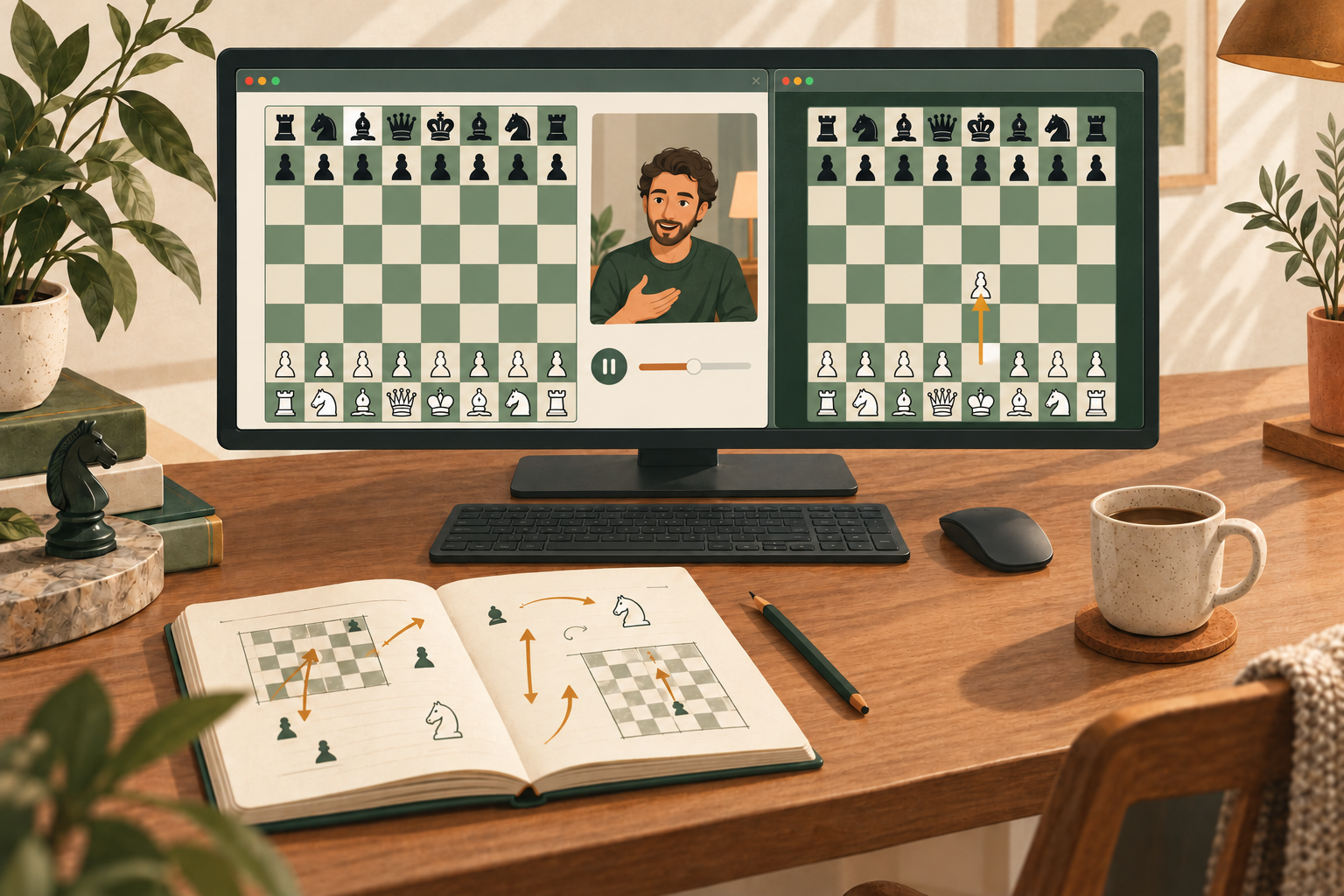
Stop a recorded lesson at a useful position. Capture the board, calculate your candidate and explore the reply before continuing the video.
Study a streamer’s analysis or spectator board. Try another idea in Chess Rehab, then return to the captured source position when you are ready.
Pause game footage at a critical moment. Compare engine candidates with common database replies, and step through the continuation at your own pace.
Arrange both windows side by side and keep the source board visible. Recognition depends on the board’s appearance and video quality; pause moving footage for a clearer read. Follow the platform’s rules for using or sharing assisted analysis.
OPENING THEORY, WITHOUT THE TAB SPIRAL
Search 3,865 named opening entries, explore legal reference lines and save the ones you want to remember. Then hide the next move and test your recall.
Built on the CC0 Lichess opening index, pinned for offline use. A reference line identifies an opening; it isn’t a complete theory course or an engine verdict.
1. e4 e5 2. Nf3 Nc6 3. Bc4 Bc5
A SMALL INVESTMENT IN BETTER HABITS
Two planned licences. The same study tools.
No recurring app subscription.
PLANNED LAUNCH PRICING · SALES NOT YET OPEN
£19.99 one time
For one personal Windows device.
£29.99 one time
For three personal Windows devices.
Checkout and licence delivery are being prepared with Lemon Squeezy. Final tax-inclusive totals and purchase terms will be shown before payment. No payment is collected on this preview site.
A FEW GOOD QUESTIONS
Chess Rehab reads a captured board, rather than controlling your chess account. Recognition is currently tuned for supported Chess.com board appearances. Other apps and live streams can be used when recognised; screenshots, FEN entry and manual correction provide alternatives. It is independent of Chess.com and is not endorsed by it.
Yes. Computer practice, post-game review and spectating are central uses. Follow your platform’s rules, including rules about sharing assisted analysis. Friendly training also needs agreement and permission under the host’s rules. Engine or database assistance must not be used where prohibited, whether a game is rated or unrated.
No. Database results describe previous games in the selected sample. An apparently successful trap may lose against accurate defence. Chess Rehab can inspect common continuations and check candidate moves with Stockfish; results depend on sample size and search budget.
Game history, training reviews, preferences and repertoire live in your Windows user folder. API credentials and licence details are encrypted for that Windows user. Online explorer queries, public archive downloads and licence activation contact their respective providers. This preview website has no analytics or marketing signup form.
The app uses a persistent user-data folder separate from the executable. The Chess Rehab rebrand keeps the existing Chess Engine Helper folder. The update path is being prepared to verify downloads and preserve that data. Automatic installation and cloud sync are not available in this preview.
YOUR NEXT GOOD HABIT STARTS HERE
Chess Rehab is taking shape. This is an early look at the development preview, before public downloads and sales open.